笨方法学 Java -13-重写第一个 Java 程序(2)
承接前文 《笨方法学 Java -13-重写第一个 Java 程序(1)》
5、项目运行与打包
一般来说,一个Java项目通常会先在eclipse环境运行测试。测试完毕才打包发布。
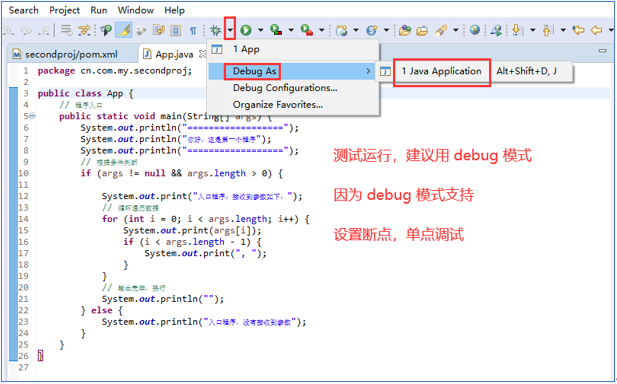
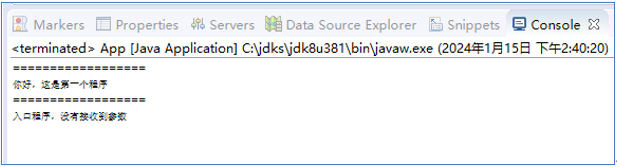
5.1、通过main函数测试运行
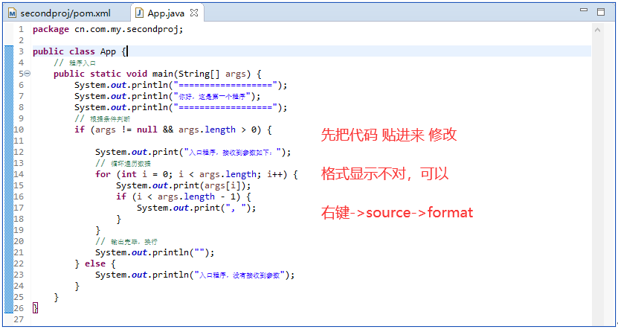
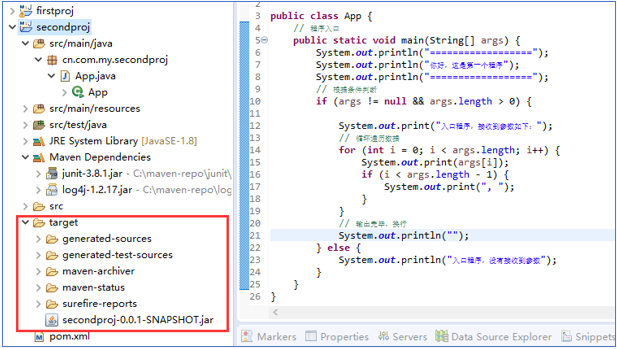
首先,我们把代码贴到 App.java 里面
5.2、打普通jar包
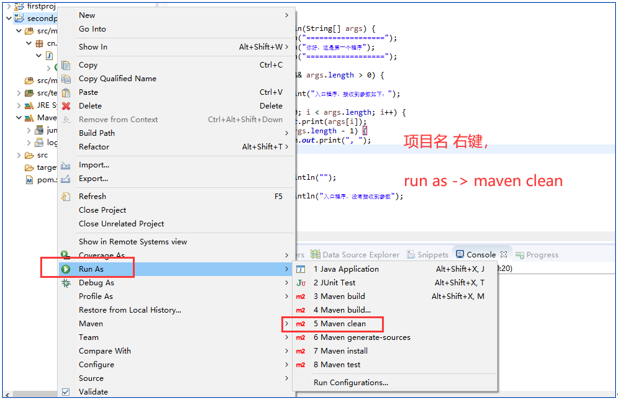
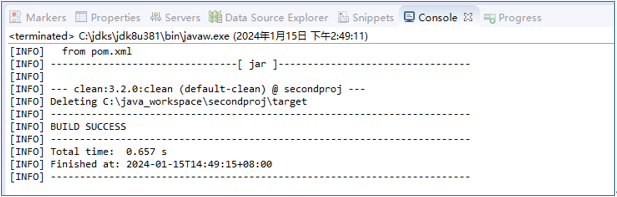
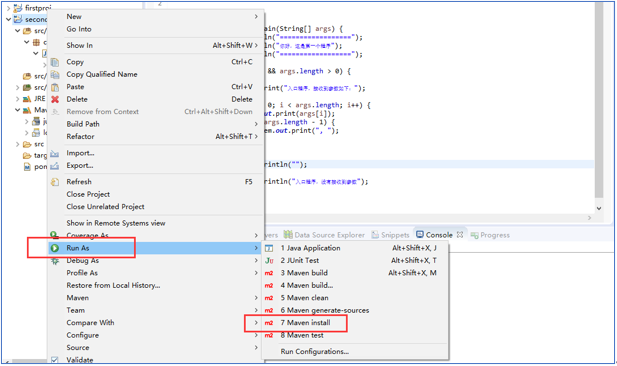
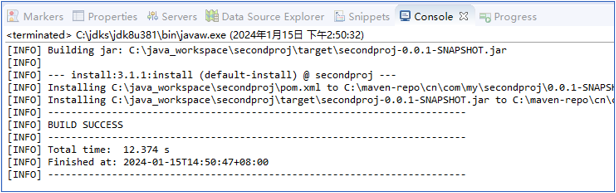
在 eclipse中,对于 maven 的打包其实很简单与命令行无异。参考如下:
5.3、打可执行jar包
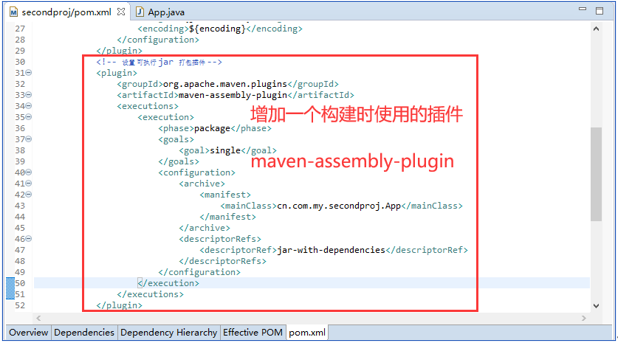
按照我们的配置文件 pom.xml 打包后的 jar 文件是普通 jar 文件,不可以直接执行。如果要打包后,可以直接执行,需要使用maven插件 maven-assembly-plugin。修改配置文件如下:
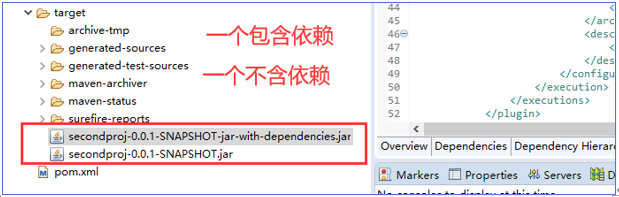
6、可执行包的测试运行
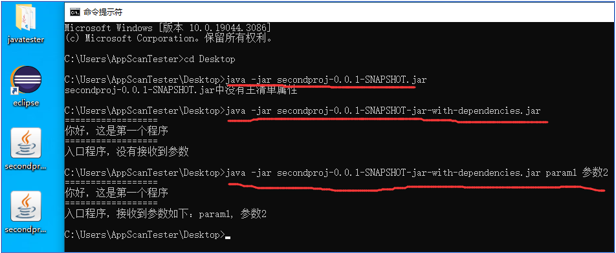
7、pom.xml 参考如下:
<project xmlns="http://maven.apache.org/POM/4.0.0"
       xmlns:xsi="http://www.w3.org/2001/XMLSchema-instance"
       xsi:schemaLocation="http://maven.apache.org/POM/4.0.0 http://maven.apache.org/xsd/maven-4.0.0.xsd">
       <modelVersion>4.0.0</modelVersion>
       <groupId>cn.com.my</groupId>
       <artifactId>secondproj</artifactId>
       <version>0.0.1-SNAPSHOT</version>
       <packaging>jar</packaging>
       <name>secondproj</name>
       <url>http://maven.apache.org</url>

       <!-- 设置软件版本等参数 -->
       <properties>
              <jdk.version>1.8</jdk.version>
              <encoding>utf-8</encoding>
       </properties>

       <build>
              <plugins>
                     <!-- 设置jdk版本 -->
                     <plugin>
                            <groupId>org.apache.maven.plugins</groupId>
                            <artifactId>maven-compiler-plugin</artifactId>
                            <configuration>
                                   <source>${jdk.version}</source>
                                   <target>${jdk.version}</target>
                                   <encoding>${encoding}</encoding>
                            </configuration>
                     </plugin>
                     <!-- 设置 可执行 jar 打包插件(如果不需要,屏蔽掉这个plugin) -->
                     <plugin>
                            <groupId>org.apache.maven.plugins</groupId>
                            <artifactId>maven-assembly-plugin</artifactId>
                            <executions>
                                   <execution>
                                          <phase>package</phase>
                                          <goals>
                                                 <goal>single</goal>
                                          </goals>
                                          <configuration>
                                                 <archive>
                                                        <manifest>
                                                               <mainClass>cn.com.my.secondproj.App</mainClass>
                                                        </manifest>
                                                 </archive>
                                                 <descriptorRefs>
                                                        <descriptorRef>jar-with-dependencies</descriptorRef>
                                                 </descriptorRefs>
                                          </configuration>
                                   </execution>
                            </executions>
                     </plugin>
              </plugins>
       </build>

       <dependencies>

              <dependency>
                     <groupId>junit</groupId>
                     <artifactId>junit</artifactId>
                     <version>3.8.1</version>
                     <scope>test</scope>
              </dependency>

              <!-- https://mvnrepository.com/artifact/log4j/log4j -->
              <dependency>
                  <groupId>log4j</groupId>
                  <artifactId>log4j</artifactId>
                  <version>1.2.17</version>
              </dependency>

       </dependencies>
</project>